Standard Service Issues
Standard Service Issues are created to simplify the creation of repetitive repairs on a Repair Order. The complaint may be a Campaign or Warranty issue, regular maintenance, or a common repair in which the Complaint is typically the same.
To create a Standard Service Issue, navigate to:
Service>Preventive Maintenance

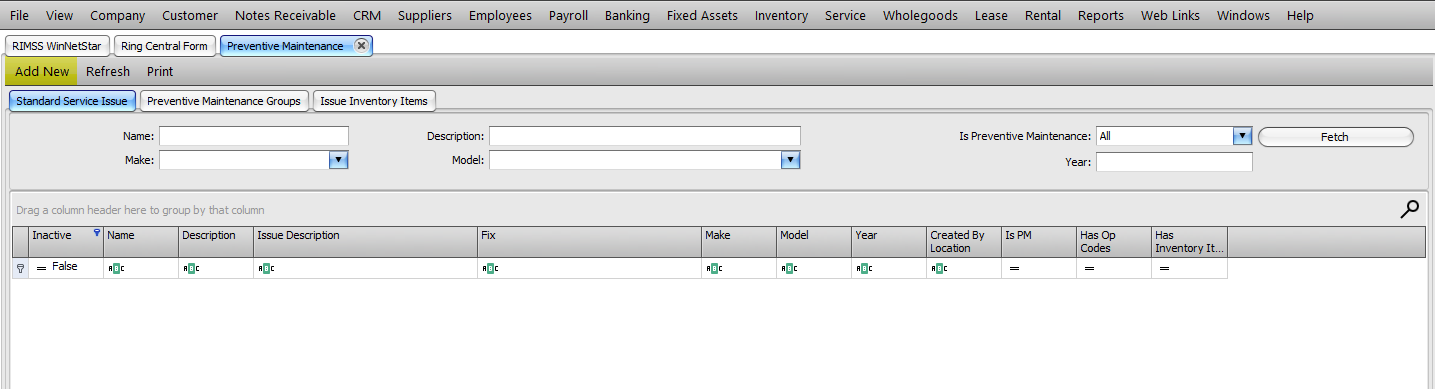
The menu option will open a grid where you can create, view, or edit Standard Service Issues.
Click Add New to create a new Standard Service Issue.
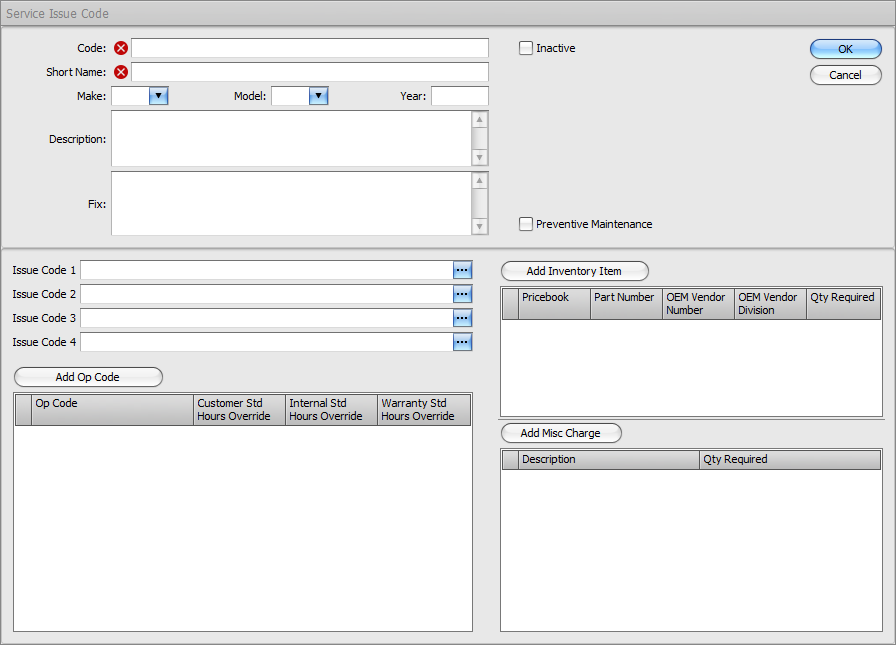
Once you click to add a new Standard Service Issue, you will receive a pop-up for adding the information to be included.
Code: Searchable short description or code (required)
Short Name: Longer description of the repair (required)
Make: You may add the manufacturer of the unit or leave blank
Model: You may add the model of the unit or leave blank
Year: You may add the year of the unit or leave blank
Description: Enter the Complaint text that will populate into the Description area of the Repair Order (required)
Fix: Enter the Fix text that will populate into the Description area of the Repair Order
Op Codes: Enter the Op Code(s) to populate on the Repair Order (required) Standard Hours may be entered and they will populate on the Repair Order for reference and reporting.
Inventory Items: Add parts to populate on the Repair Order
Misc Charges: Add Misc Charges to populate on the Repair Order
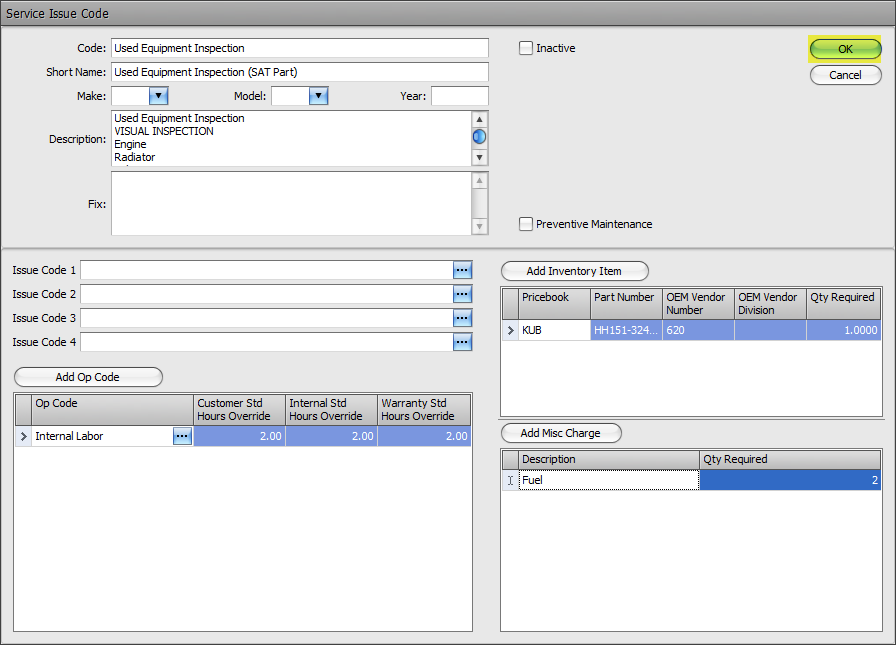
Once information has been entered, click OK to save the Standard Service Issue in the list.
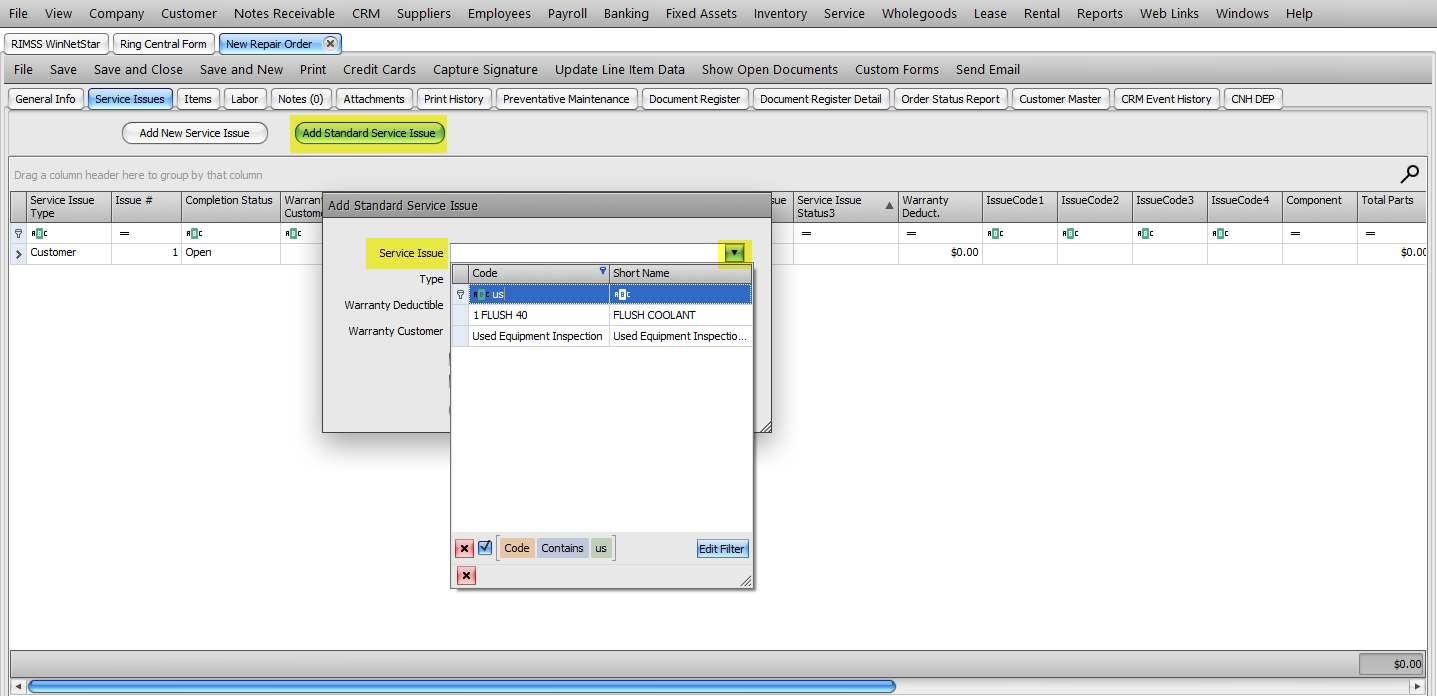
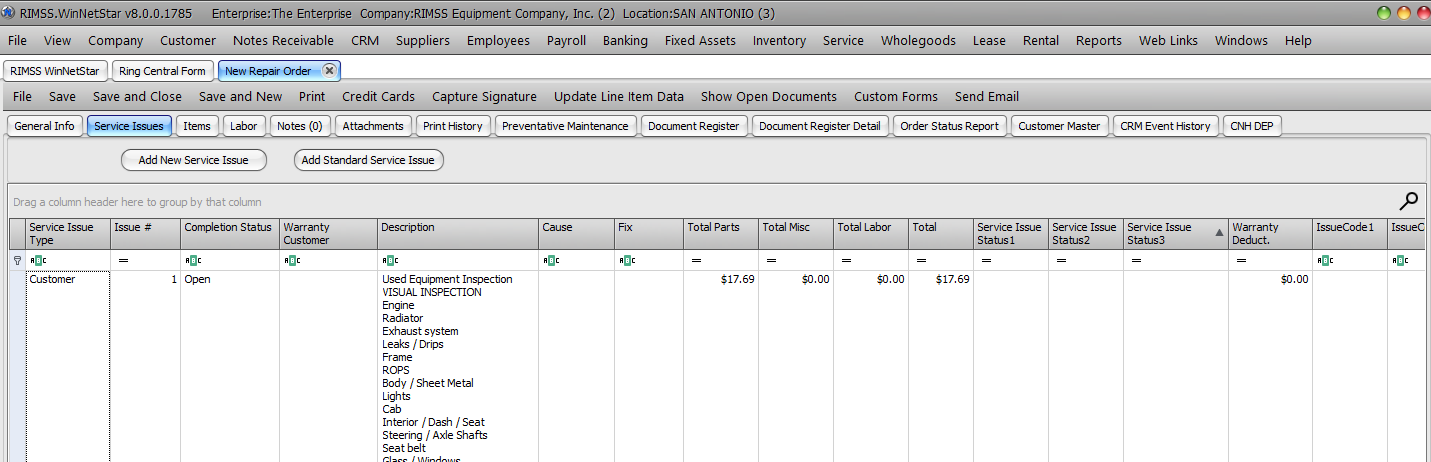
Once created, you can add Standard Issues to Repair Orders on the Service Issue Tab. Click on Add Standard Service Issue at the top of the form, then select the correct issue from the drop-down. You can search by Code or Short Name using the filter row. Once selected, the system will populate the Description, Fix, Op Code(s), Part(s), and Misc Charge(s) onto the Repair Order.
Click here to learn how to create Preventive Maintenance (PM) schedules with Standard Service Issues.